


MyAccount Guide : Set up Email Forwarding
How do I Set Up Email Forwarding?
- Login to MyAccount using your email address and password.
- Click the Edit account button by the email address whose email you want to forward.
- When you click the Edit Account button, the following screen is displayed:
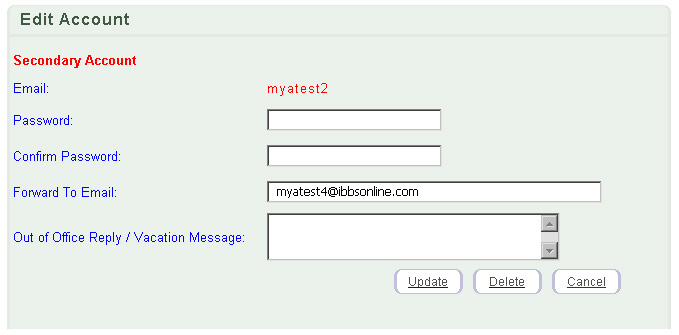
- To forward your email, type the email address where you want the mail forwarded to in the "Forward To Email" text box.
- Click the Update button.
Return to the top of the page
|
|